
Different opening hours for one service
By default, opening hours are set on the resource and are the same for every service that resource offers. If one service should only be bookable at certain times, give that service its own hours.
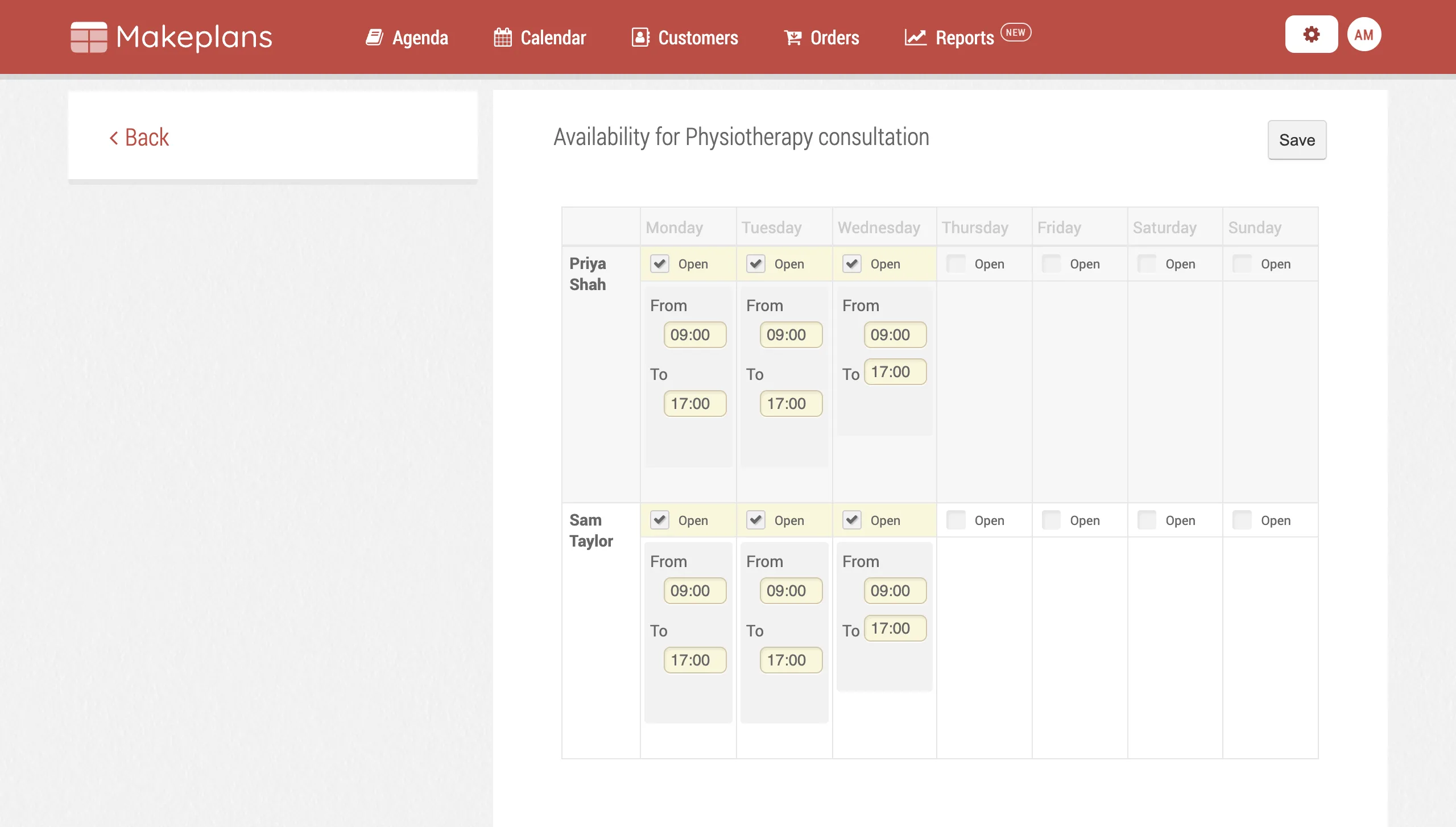
Example: Sam Taylor works Monday to Friday and offers both sports massage and physiotherapy. Physiotherapy should only be bookable Monday to Wednesday. Sports massage keeps following Sam’s normal opening hours.
In this setting, each resource that offers the service is called a provider.
Set it up
- Open setup, select Services and edit the service.
- Set Availability is defined by to Provider.
- Select Save service.
- On the service page, under Availability is defined by, select Availability pr provider.
- For each resource, tick Open on the days the service can be booked and enter From and To. Select + add for a second period on the same day.
- Select Save.
WARNING
All days start as closed for every provider. Set the hours right after you switch to Provider, or the service cannot be booked.
The other services the resource offers are not affected. They keep using the opening hours of the resource.
Go back to the resource’s hours
Edit the service and set Availability is defined by back to Resource (default).