
Languages
There are two language settings:
- Account language is the language of the admin. Set it in setup under Account.
- Booking site language is what your customers see. It follows the account language unless you choose another in setup under Booking site, then General.
So you can work in English and have a Spanish booking site.
The language also decides how dates and numbers are written and whether a 12-hour or 24-hour clock is used. Choose English American for a 12-hour clock.
Available languages
| Where | Languages |
|---|---|
| Booking site | Albanian, Czech, Danish, Dutch, English (international, British and American), French, German, Hebrew, Italian, Latvian, Lithuanian, Malay, Norwegian, Polish, Portuguese, Russian, Slovenian, Spanish and Swedish |
| Admin | Danish, English, French, Hebrew, Latvian, Lithuanian, Malay, Norwegian, Russian, Spanish and Swedish |
If your language is missing, contact us. The translations are open source, and we can add a language if you help with the translation.
Several languages on one booking site
- Open setup and select Booking site, then General.
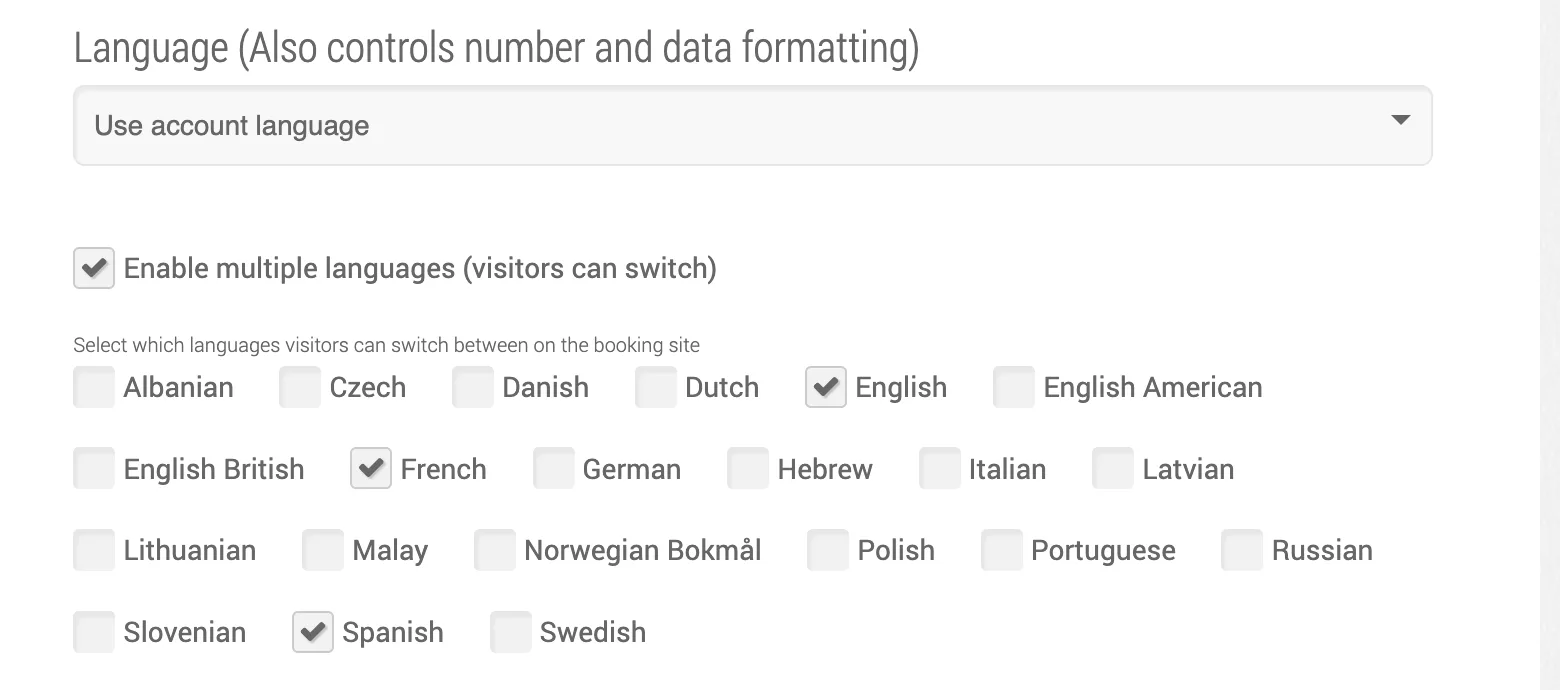
- Tick Enable multiple languages (visitors can switch).
- Tick the languages customers can choose between.
- Select Save.
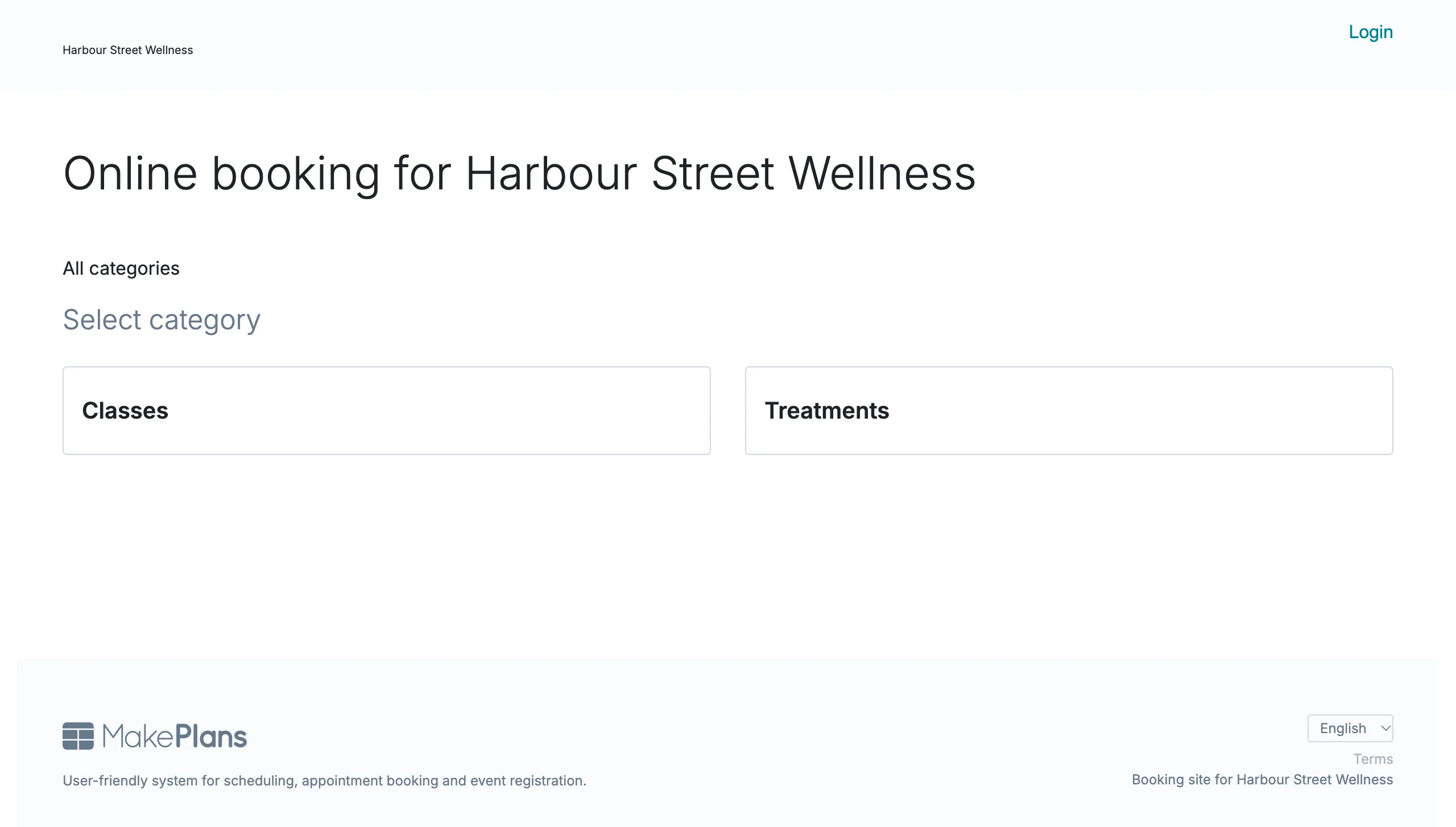
Customers then get a language menu at the bottom of the booking site.
- A logged-in customer’s choice is saved on their profile and used on later visits.
- To link straight to a language, add
?locale=and the language code to any booking site address, such as?locale=enfor English or?locale=nbfor Norwegian. If your own website has several languages, link each version to the matching language. - Contact support if you want the language to follow the customer’s browser.
What is translated
Only the standard texts of MakePlans are translated. Text you have written yourself is shown as you wrote it: names of services and categories, descriptions, custom texts and fields in custom forms.
To show different labels per language in a custom form, see localisation in the custom forms documentation.
Emails and SMS
Confirmations, reminders and cancellation messages are sent in the default language of the booking site, also when customers have chosen another language in the menu. Texts you have written yourself are sent as written, in one language.