
The agenda
The Agenda lists your reservations and events in time order. It is the quickest way to see what is coming up and to find a particular reservation.
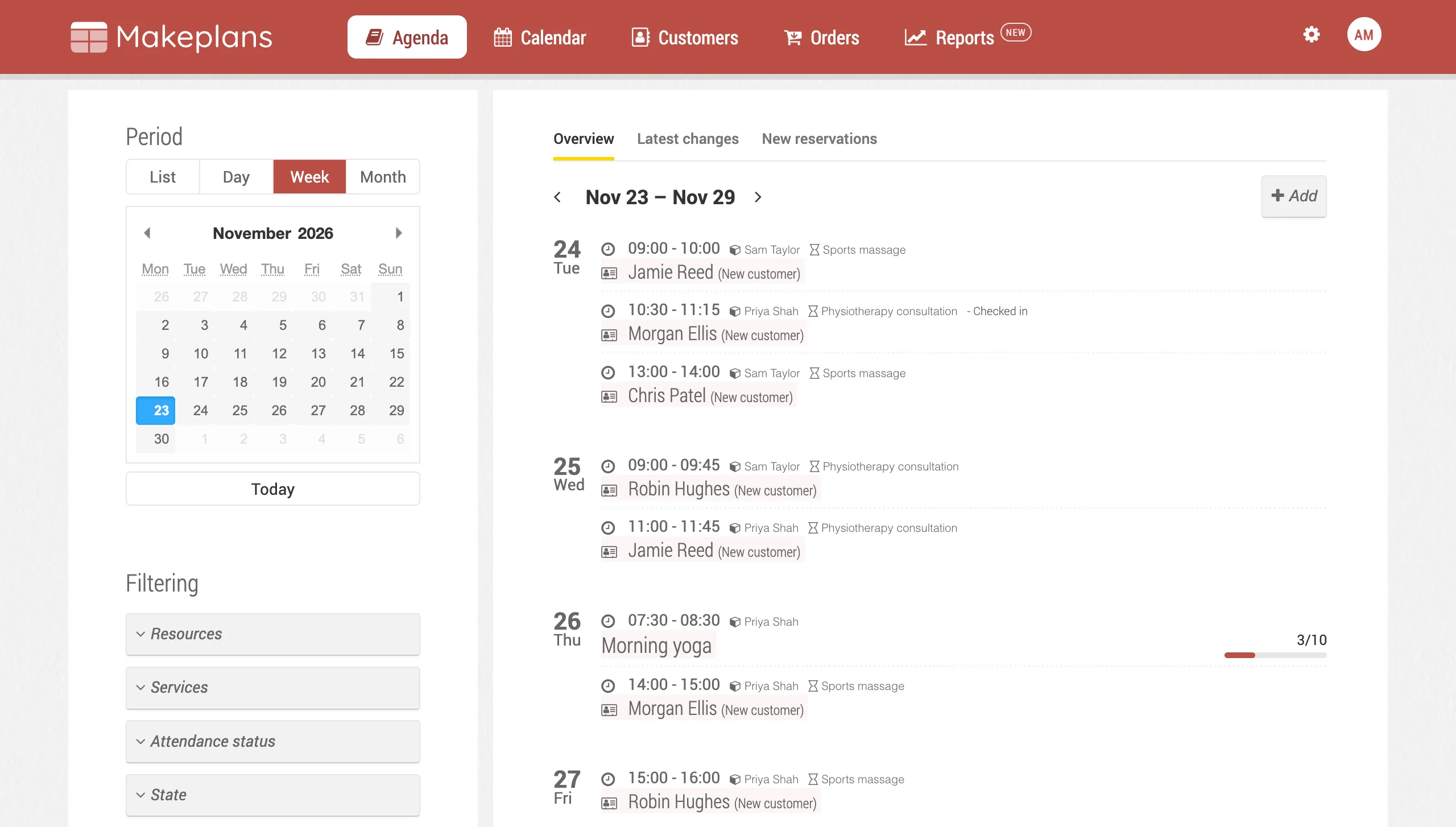
Each line shows the time, the resource, the service and the customer. A customer who has not been in before is marked “New customer”. Select a line to open the reservation.
Tabs
| Tab | Shows |
|---|---|
| Overview | Reservations in time order. |
| Awaiting confirmation | Reservations waiting for your approval, with the number waiting. The tab is only shown when there are any. See Approve reservations manually. |
| Latest changes | The reservations that were changed most recently. |
| New reservations | The reservations that were made most recently. |
Period
Under Period, choose List, Day, Week or Month. Use the small calendar to jump to a date, and the arrows above the list to go back and forward.
Filtering
Under Filtering you can narrow the list:
- Resources and Services
- Attendance status: Checked in, Started, Completed, No show
- State: Awaiting confirmation, Awaiting payment, Waitlisted, Declined, Cancelled
Cancelled and declined reservations are not shown until you select their state. Select Reset filter to clear the filters.