
Orders
When a customer buys something on the booking site, such as a product, a pass or a gift card, it becomes an order.
How a customer places an order
- The customer opens the product on the booking site and selects Add to cart. They are asked to log in first.
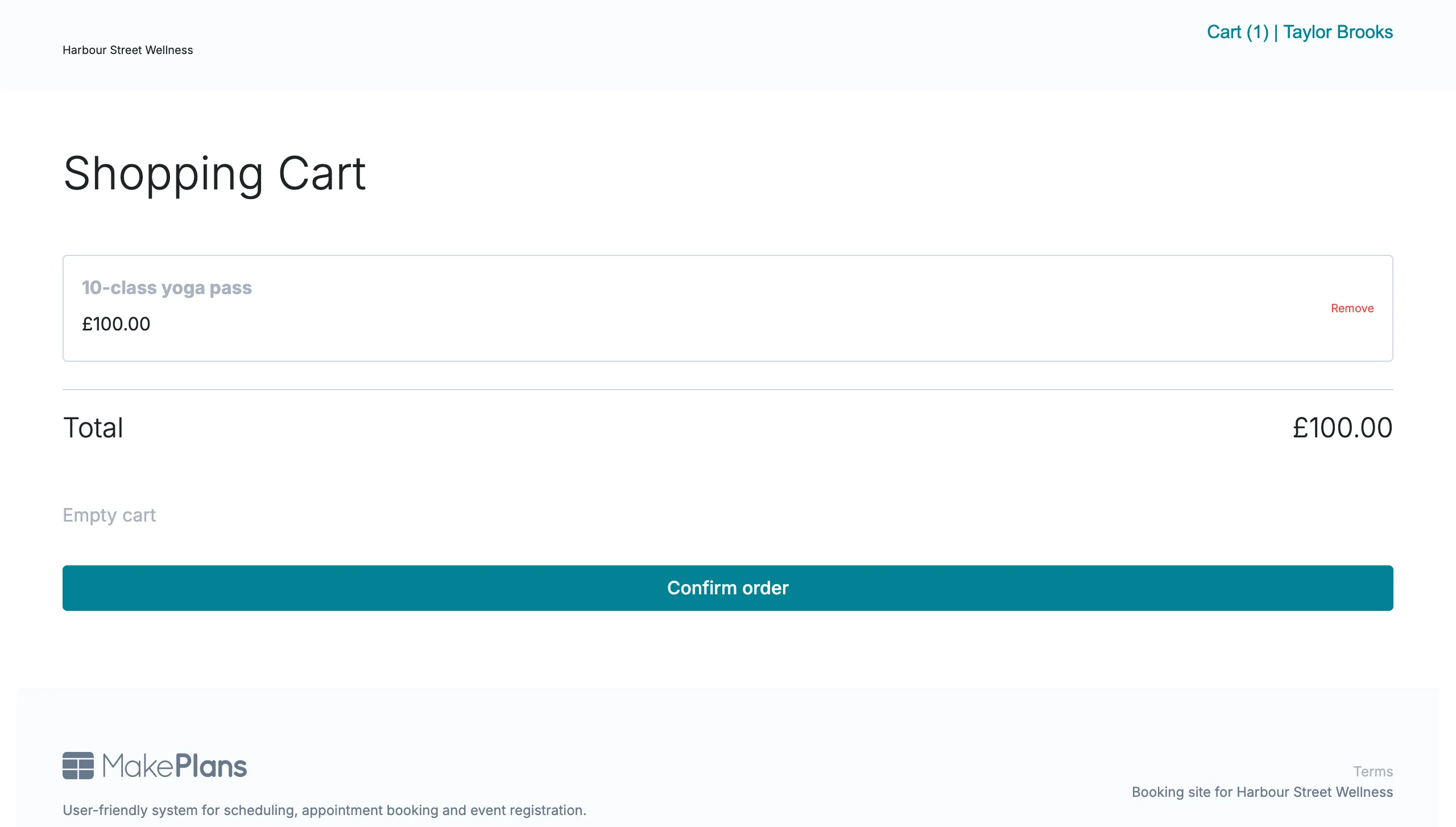
- The Shopping Cart lists what they have added, with the total. They can Remove an item or select Empty cart.
- They select Confirm order and pay at the checkout.
WARNING
The checkout needs a payment provider. Without one, customers see “No payment methods available” and cannot complete the order.
Logged-in customers find their earlier orders under My orders on the booking site.
Find orders in the admin
Open Orders in the main menu.
| Tab | Shows |
|---|---|
| Orders | All orders. Filter on Pending, Confirmed or Cancelled. |
| Passes | Passes held by customers. See Passes. |
| Subscriptions | Customers’ subscriptions. See Subscriptions. |
| Gift cards | Gift cards and their value. See Gift cards. |
| Coupons | Your coupon codes. See Coupon codes. |
Export
To export orders, open setup and select Export, then Orders.