
Notifications to you and your staff
These are the messages MakePlans sends to you, not to your customers.
For the whole account
Open setup and select Notifications - user. Select Save after your changes.
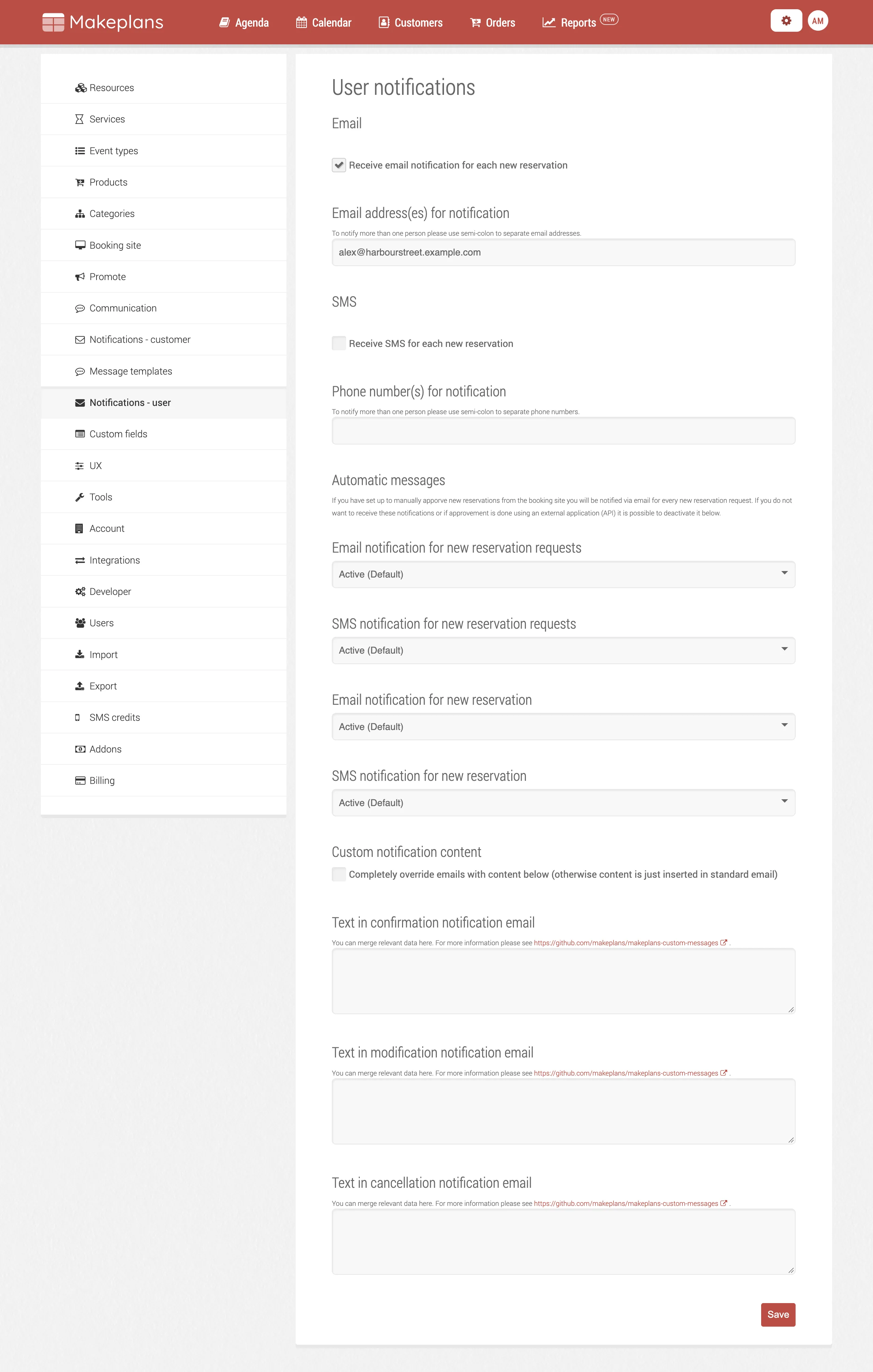
| Setting | What it does |
|---|---|
| Receive email notification for each new reservation | On by default. |
| Email address(es) for notification | Who receives the emails. Separate several addresses with a semicolon. |
| Receive SMS for each new reservation | Off by default. Each SMS uses SMS credits. |
| Phone number(s) for notification | Who receives the SMS. Separate several numbers with a semicolon. |
Under Automatic messages you can turn each kind of notification off: email and SMS for new reservation requests, and email and SMS for new reservations. Reservation requests are the ones waiting for your approval. Turn those off if approval is handled in another system through the API.
Change the text
Under Custom notification content you can add your own text to the confirmation, modification and cancellation notification emails. As with customer messages, your text is added to the standard one unless you tick Completely override emails with content below.
Per resource
To notify the employee a reservation is for, or the person responsible for a room:
- Open setup, select Resources and edit the resource.
- Fill in Email address(es) for notification and, if you want SMS, Phone number(s) for notification.
- Select Save resource.
When these are empty, the account’s address is used. The text of resource notifications is the same for all resources.