
Set your opening hours
Opening hours are set per resource. Customers can only book times when a resource that offers the service is open. A new resource is open Monday to Friday, 09:00 to 17:00.
Change the default availability
Default availability is the normal week for a resource.
- Select the cog to open setup, then select Resources.
- Select the pencil next to the resource.
- Under Default availability, tick the days the resource can be booked and clear the days it cannot.
- Enter the From and To time for each day.
- Select Save resource.
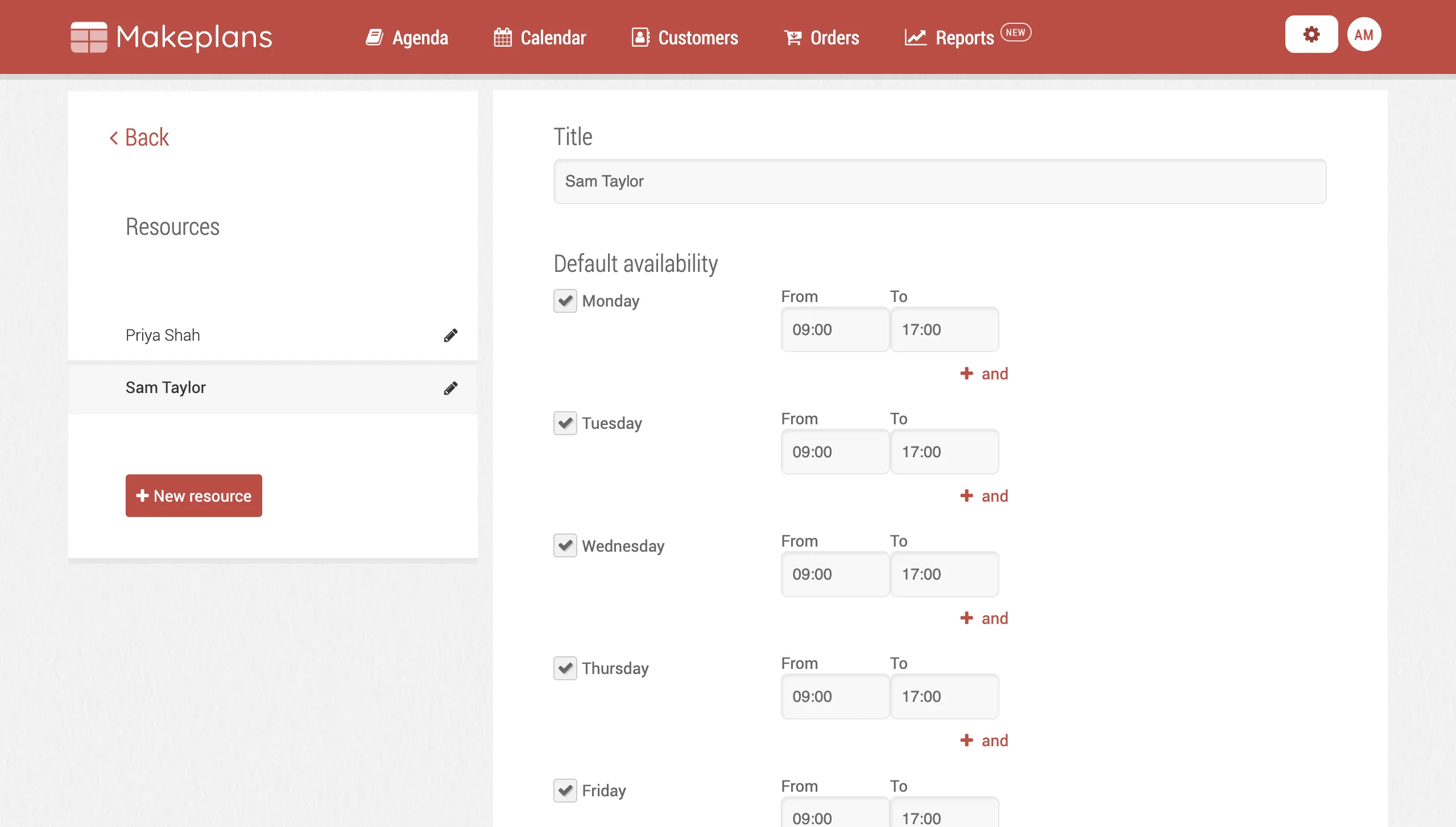
Repeat this for each resource. Different resources can have different hours.
TIP
To close for lunch, give the day two periods. Select + and below the day and enter the second period, for example 09:00 to 12:00 and 13:00 to 17:00.
Change the hours for one week
Use this when a week differs from the normal one, for example when someone is away on Friday.
- Open the Calendar and go to the week you want to change.
- Select the clock button, Adjust availability for this period.
- For each resource and day, clear Open to close the day, or change From and To.
- Select Save.
The change applies to those dates only. Other weeks keep the default availability.