
Export and import data
Export
- Open setup and select Export.
- Select what to export.
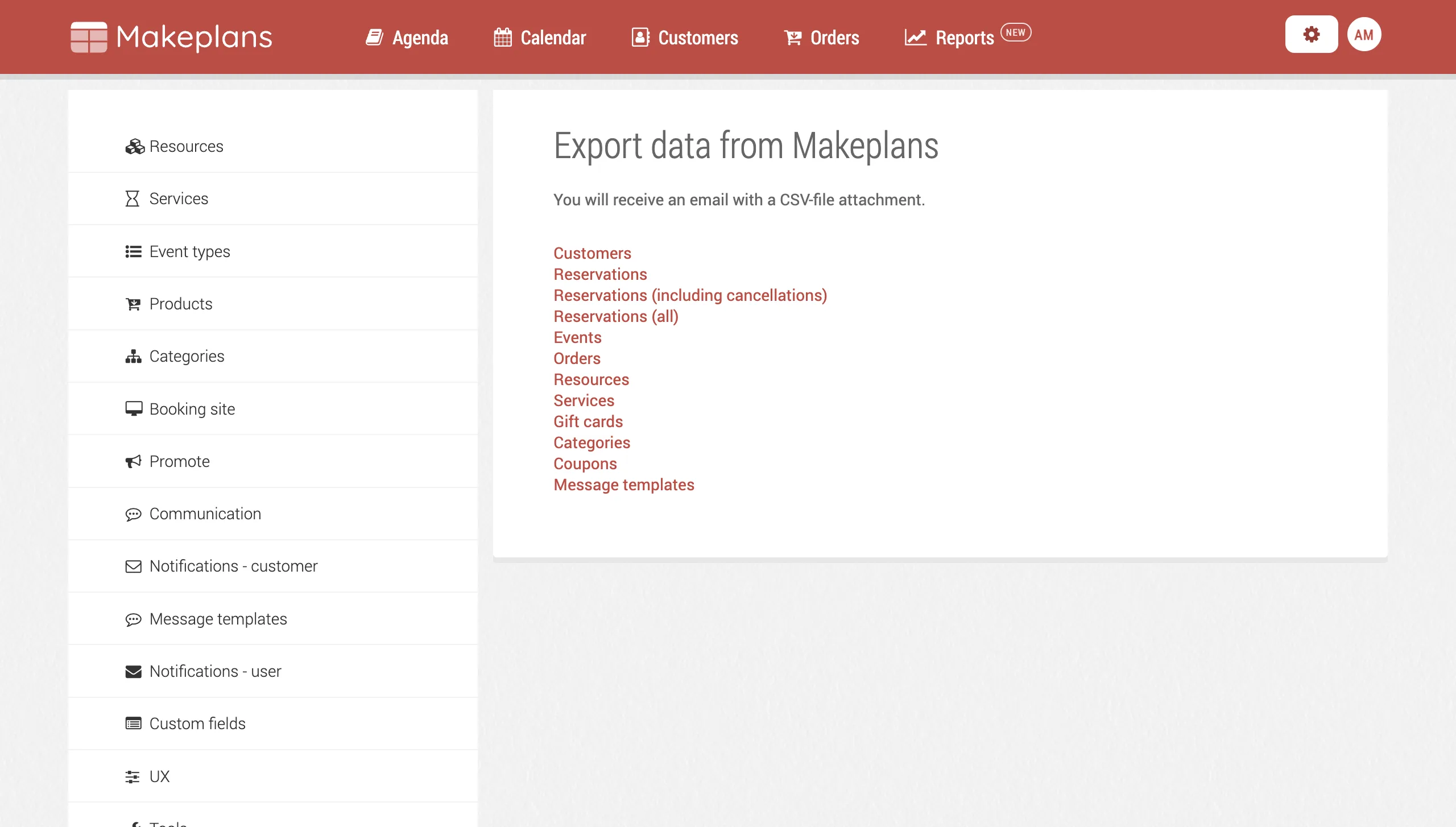
The export is made in the background. After a few minutes you receive an email with a link to the file. The link works for 15 minutes, so download the file straight away. If it has expired, run the export again.
| Export | Contains |
|---|---|
| Customers | Your customer list. |
| Reservations | Reservations with customer details, paid amount, coupon code used and who created or changed them. |
| Reservations (including cancellations) | The same, with cancelled reservations. |
| Reservations (all) | Every reservation, whatever its state. |
| Events | Events with their attendants. |
| Orders, Gift cards, Coupons | Sales data. |
| Resources, Services, Categories, Message templates | Your setup. |
Answers to custom fields are in the export of what they are stored on. A custom field on the reservation is in the reservations export, not the customer export.
The export email did not arrive
- Check your spam folder. The email comes from a MakePlans address, not from your own domain.
- Run the export again. The email may have arrived and the link expired.
- Contact support. We can check whether it was delivered.
Open the file in Excel
The file is plain CSV and opens in Excel, or Numbers on a Mac. If columns or special characters look wrong, this is due to regional settings in the program. Contact support with a screenshot and the name of the program, and we will help.
Phone numbers are written in international format with country code.
Import customers
You cannot import customers yourself. Send us an Excel or CSV file and we import it for you, free of charge.
- One header row, then one row per customer. No other text or formatting.
- Columns we can import: name, first name, last name, email, phone number, address, country code, date of birth, national ID and external ID. Leave out columns you do not use.
- Custom fields can be imported. Name the column exactly like the field.
- Phone numbers from other countries must have the country code.
- A row with an email or phone number that another customer already has is skipped.
Import only customers who have an email address or a phone number. Customers are matched on these when they book, so a profile without them is never matched.
Reports
For figures on reservations, revenue and more, see Reports.