
Coupon codes
A coupon code gives the customer a discount when they pay for a reservation. The field for the code appears in the reservation form when the service can be paid for.
Create a coupon code
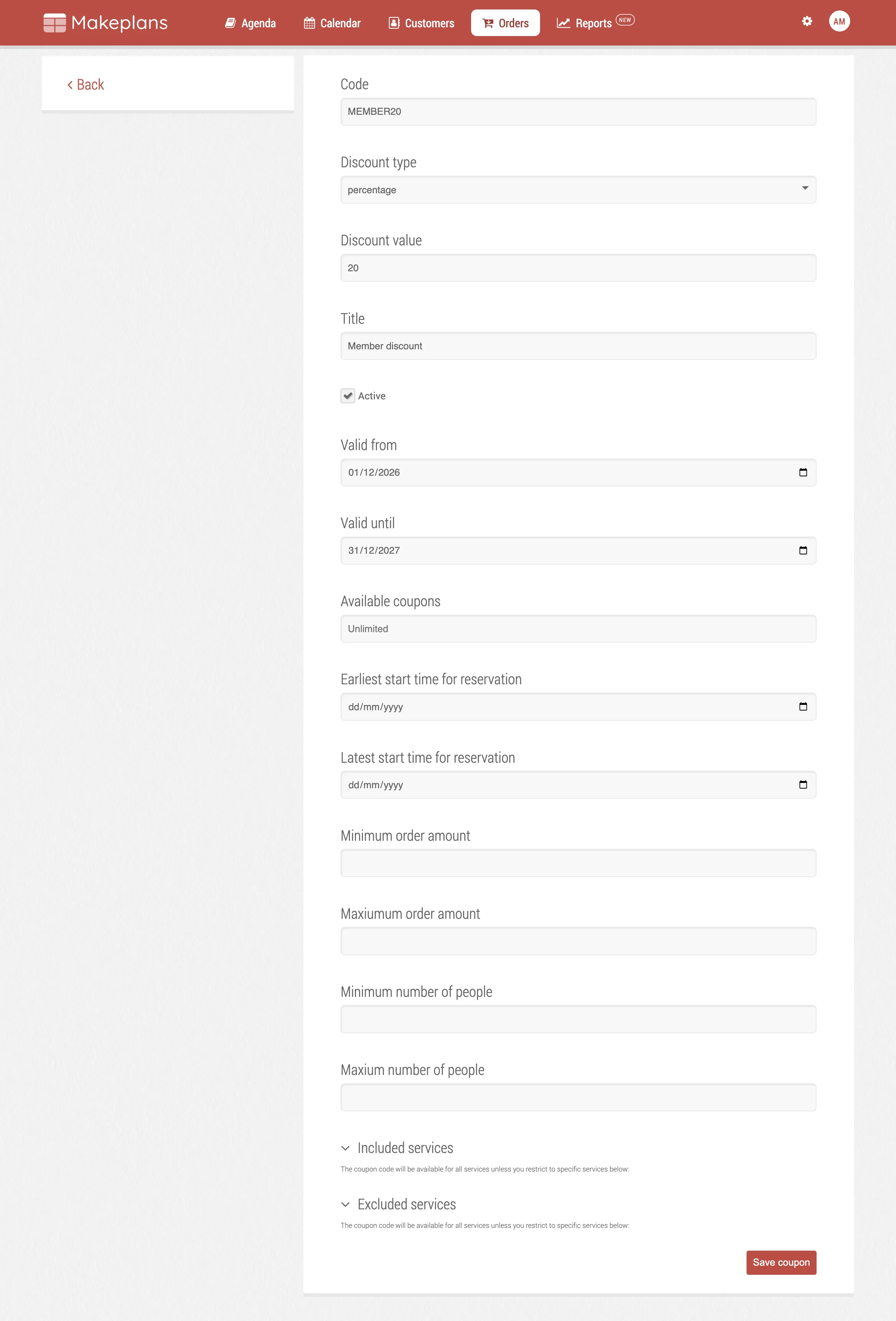
- Open Orders in the main menu and select Coupons, then New coupon.
- Enter the Code the customer will type.
- Choose the Discount type, percentage or amount, and enter the Discount value.
- Enter a Title for your own reference.
- Select Save coupon.
Limit a coupon code
| Field | What it does |
|---|---|
| Active | Clear this to stop the code from being used. |
| Valid from and Valid until | The period the code can be used in. |
| Available coupons | How many times the code can be used in total. Empty means unlimited. The number counts down with each use. |
| Earliest and Latest start time for reservation | The code only works for reservations that start in this period. |
| Minimum and Maximum order amount | The code only works when the price of the service is in this range. |
| Minimum and Maximum number of people | The code only works for reservations with this many people. |
| Included services | The code works only for the services you tick. |
| Excluded services | The code works for everything except the services you tick. |
For events, a code can be limited to an event type, but not to one single event.
Ideas
- Member discount: a percentage code with no limit on use, given to your members.
- Single-use code: set Available coupons to 1.
- A free session: a code for 100%, limited to one use. This works as a simple voucher.
See where a code was used
The code is shown on each reservation it was used for, and it is included when you export reservations. There is no report of total use per code.