
Limit how far ahead customers can book
Two settings decide the period customers can book in: how soon the first available time is, and how far into the future they can book. Both apply to the booking site. You can still add any reservation yourself in the admin.
- Open setup, select Booking site, then Rules.
- Fill in Do not allow reservations until and Do not allow reservations after.
- Select Save.
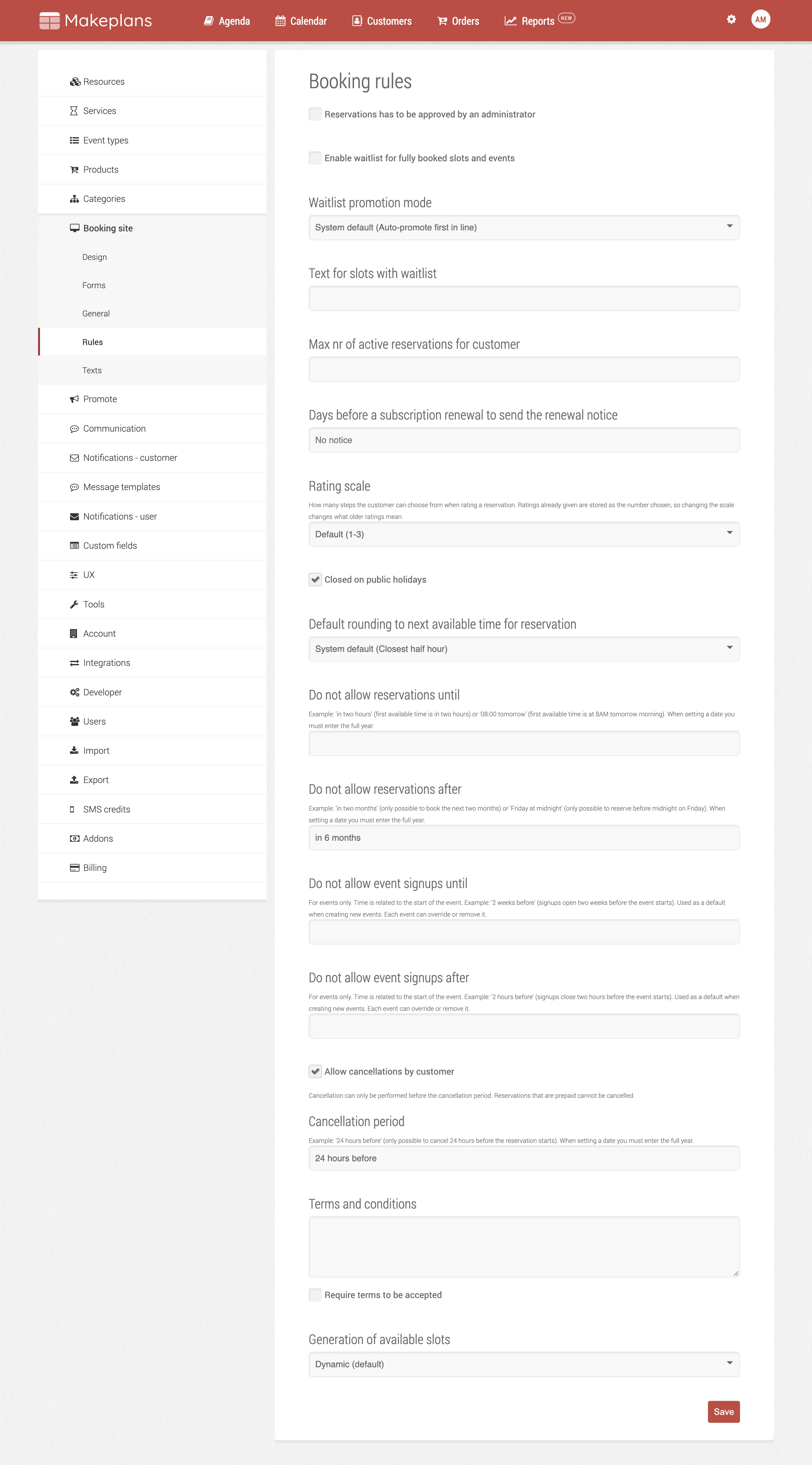
Do not allow reservations until
The earliest time a customer can book. Use it to prevent last-minute reservations.
in two hours: the first available time is two hours from now.08:00 tomorrow: customers cannot book for today. The first available time is 8 AM tomorrow.
Do not allow reservations after
The latest time a customer can book. A new account is set to in 6 months.
in two months: customers can book the next two months only.Friday at midnight: customers can book until midnight on Friday.
How to write the values
Write the time in plain English. MakePlans works out the limit from your text and the current time, so in two weeks always means two weeks from the moment the customer opens the booking site.
Other examples that work: tomorrow at 6:45pm, 7 days from now, thursday next week, in 3 hours.
You can also enter a specific date. Write the full year, and remember to update it when the period changes.
Limits for events
Events have their own settings on the same page: Do not allow event signups until and Do not allow event signups after. They are relative to the start of each event, for example 2 weeks before or 2 hours before, and are used as the default for new events. Each event can override them.